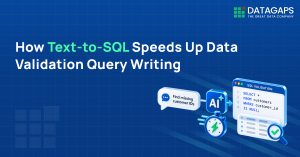
Text-to-SQL in the Datagaps DataOps Suite is a built-in AI assistant that converts natural language prompts into SQL for data testing, grounded in a RAG index of connected data source metadata and operating entirely within the customer’s environment, so nothing leaves the secure boundary.
Key Takeaways
- Manual schema discovery and join-path building slow testing cycles and create dependency on a few SMEs.
- From the home page, the AI Assistant generates, executes and displays results with a confidence score.
- Inside dataflows, the assistant writes SQL against connected data sources once the initial RAG setup is complete.
- It generated multi-CTE queries resolving join paths across four tables without being given schema relationships.
- Avoid SQL reserved keywords as table names and run a Full RAG for new data models
Datagaps DataOps Suite Text-to-SQL lets testers describe what they need in plain language and get SQL generated against their connected data model — from simple one-table lookups to multi-CTE queries with complex joins. It removes the manual work of understanding schema and building join paths, so testers can accomplish in minutes what previously took hours.
Writing SQL is one of the most time-consuming parts of data testing, especially when you’re onboarding onto an unfamiliar dataset, working through hundreds of tables, or validating complex transformation logic. Understanding the schema, building join paths, and writing precise queries by hand slows testing cycles and leaves teams depending on a small group of subject-matter experts. This article covers how the feature works, where it fits in a data testing workflow, and how to get good results from it.
Why does AI-assisted SQL generation matter for data testing?
AI-assisted SQL generation matters because it addresses several testing bottlenecks at once. These are the ones teams run into most often:
- Onboarding new testers onto an unfamiliar data model
- Understanding undocumented schemas with no SME available
- Writing validation queries faster during BI migration or source-target reconciliation
- Covering transformation testing across complex pipelines
- Reducing overall dependency on senior engineers for every query
Any one of these can be fixed with a targeted tool. Fixing all of them together takes platform-native AI that understands the data model, the environment, and the testing context, something a generic external tool can’t offer. Datagaps DataOps Suite is built with that in mind.
Where can you use the AI assistant in Datagaps DataOps Suite?
There are two core scenarios where the AI assistant within Datagaps DataOps Suite delivers immediate value: querying the platform’s own state from the home page and writing SQL against connected data sources while building dataflows.
Use case 1: Understanding the current state of the platform
This is for when you need to know what services have been created, how pipelines are running, and what work has already been done. The AI Assistant is available directly from the Datagaps DataOps Suite home page.

From the home page, the AI Assistant generates the SQL query, runs it automatically, and displays the results along with a confidence score for the response, so there’s no query to copy and run manually.

Use case 2: Writing SQL while building dataflows, pipelines and data models
What does data observability mean for a data scientist?
For a data scientist, observability means performing more aggressive testing of the data before it reaches models or dashboards. This includes anomaly detection using ML techniques, such as identifying an unusual shift in data volume or a sudden increase in values within a column beyond its expected range. These signals serve as early warnings, giving the team the opportunity to investigate and resolve issues before potentially corrupted or drifted data is fed into production models.
How is data observability different from data quality?
Data quality focuses on whether data meets predefined standards at a point in time, while data observability tracks data health continuously as it moves through systems, pipelines, and reports. The two terms are often used interchangeably, but they address different concerns. The comparison below clarifies the distinction:
| Dimension | Data Observability | Data Quality |
|---|---|---|
| Scope | Data in motion; full lifecycle from ingestion to reporting | Data at rest; focuses on tables and datasets |
| Issue Detection | Detects known and unknown issues proactively | Checks known issues; mostly reactive |
| Coverage | Drift, anomalies, lineage, and ML-based monitoring | Nulls, duplicates, and static rule validation |
| Approach | Proactive with automated alerting | Static, predefined rules |
| Primary Use | End-to-end pipeline health and traceability | Table-level data integrity checks |
Data quality focuses on whether data meets predefined standards at a point in time. Data observability takes a broader view, tracking data health continuously as it moves through systems, pipelines, and reports.
How does Datagaps enable end-to-end data observability on Microsoft Fabric?
Datagaps offers the DataOps Suite to address the trust problem described above. It is an end-to-end testing and monitoring platform that integrates with existing architectures and performs validation and monitoring at multiple levels. The components of the DataOps Suite work across the full analytics pipeline, regardless of the platform.

For Microsoft Fabric environments specifically, the integration maps natively onto the medallion architecture, with Datagaps components operating across Bronze, Silver, and Gold layers on OneLake.

How do AI-generated column descriptions set up the data model?
The process begins as soon as you connect your data source and create a data model. The first task is generating descriptions for your columns using AI. This produces consistent metadata that the platform uses to understand your dataset and generate better rules and queries wherever required.
![Datagaps column description generation using AI on DimCustomer table with Generate Descriptions button highlighted]](https://www.datagaps.com/wp-content/uploads/Datagaps-column-description.3.png)
Once descriptions are generated and sample data has been reviewed, the next step is building data quality processes, starting with defining data quality rules.
How does Datagaps generate data quality rules automatically?
Datagaps generates data quality rules automatically for all selected tables, without requiring manual checks to be written. The AI uses sample data and metadata to produce rules covering dimensions such as:
- Validity: ensuring values conform to expected formats and constraints
- Uniqueness: detecting duplicate records or primary key violations
- Completeness: identifying null or missing values
- Consistency: validating conformity of related fields
- Timeliness: checking that data arrives within expected time windows

A practical advantage of this approach is reusability. Once rules are generated for a given set of tables, more than 80% of the time those rules remain the same across runs. They can be exported, imported, and customised rather than regenerated each time, which also reduces AI processing costs.

How does Datagaps detect and classify PII automatically?
For datasets containing personally identifiable information, Datagaps uses machine learning to automatically detect and classify PII columns across all tables. Rather than manually tagging sensitive fields, the platform classifies each column into a known entity type such as email address, phone number, or national identifier. These columns can then be masked or flagged for governance purposes without any additional code.
How is the data quality score calculated?
Every rule defined in a table contributes to an individual data quality score at the column level. These roll up into an aggregated score visible in the data quality dashboard. This gives teams a standardised, quantifiable view of data health that can be tracked over time and broken down by dimension.


All records that fail defined quality checks are surfaced in the Data Quality Issues section.
How are data quality issues managed and remediated?
From the Data Quality Issues interface, teams can choose to save, quarantine, or delete bad records. Notifications, stakeholder alerts, and ticket creation can all be automated from within the platform, ensuring full accountability throughout the remediation process. For example, if a check is added to ensure that first and last names in a table contain no special characters or numbers, the platform will show exactly where that check failed, how many bad records were found, and the sample rows that triggered the failure. The team can then decide whether to retain, isolate, or remove those records before proceeding.

How do dataflows validate ETL transformations and compare data?
A key part of end-to-end observability is verifying that transformations produce the expected output. The best way to find mismatches is by creating separate dataflows for testing. A dataflow connects a raw source, applies a transformation, and then runs a comparison to surface any rows where the output does not match expectations.

The result view shows exactly which rows were mismatched, the original value versus the changed value per column, and a column-wise breakdown of discrepancies. This level of clarity is essential before moving any data solution to production, and is particularly valuable during data migration scenarios where column mappings and type conversions need to be validated.

Within Dataflows, an AI Assistant is also available to help write correct and complex SQL queries using simple natural language prompts. To give the AI accurate context, a RAG model of the data schema can be configured, allowing the assistant to generate queries that are grounded in the actual metadata of the dataset.


How are BI reports validated against source data?
Observability does not end at the database layer. Reports also need to be validated against the original dataset. As an analytics manager, checking data quality scores alone is insufficient; the figures shown in a report must also match what is in the source tables. Dataflows support this by allowing a comparison between a BI tool dataset and the underlying source.
For example, if a report on Tableau is aggregating yearly income by number of children, the same aggregation can be written against the source table and compared directly. The tool picks up the dataset from the dashboard automatically and validates whether the numbers match. Any discrepancy in values is surfaced as a mismatched row, including type mismatches such as a column appearing as a decimal in the source but as a string in the report.


How do data profiling and anomaly detection work?
A minimal yet important capability that also falls under data observability is profiling your data and identifying patterns. For datasets that change every day, profiling provides a report on what has changed, what the distribution looks like, and where anomalies may have appeared.
Beyond standard aggregates such as minimum value, maximum value, null count, and mean, the platform supports machine learning-based analysis to detect skewness and hidden patterns in datasets. This does not require any custom code; selecting the desired profiling options is sufficient and the platform generates the report automatically.

The output is a detailed profile showing observed patterns per column, frequency of values, and trend comparisons against previous runs, giving teams a continuous view of how their data is behaving over time.

What role does AI play across the Datagaps observability framework?
In the DataOps Suite, AI is embedded across the entire observability workflow rather than sitting in one feature. AI used for development in Microsoft Fabric is now matched by AI for testing as well. The AI capabilities span the following areas:
- AI-generated column descriptions to establish consistent and machine-readable metadata
- AI-powered rule generation based on sample data and metadata context
- ML-based entity classification for automated PII detection across all tables
- An AI Assistant within Dataflows for generating SQL queries using natural language prompts, grounded in a RAG model of the data schema
- ML-based anomaly detection for identifying distribution shifts and statistical irregularities without requiring custom code
Conclusion
The best thing about having a data observability setup in place is that you can compare what goes into the system against what is being reflected on the dashboard or in your tables. You can introduce tests at every stage to validate what is happening and whether it is correct.
As organisations scale their data operations on Microsoft Fabric, data quality checks alone are not sufficient. Observability needs continuous visibility across the full data lifecycle, from ingestion through transformation, storage, and reporting. Datagaps and its DataOps Suite provide the tooling to achieve this, with AI accelerating every stage of the process and integrating natively with existing architectures.
Frequently Asked Questions
What is the difference between data observability and data quality?
Data quality checks whether data at rest meets predefined standards, using static rules for issues like nulls and duplicates. Data observability covers data in motion across the full lifecycle, proactively detecting known and unknown issues through drift, anomaly, lineage and ML-based monitoring with automated alerting. Data quality checks are one part of observability.
How does Datagaps support data observability on Microsoft Fabric?
The Datagaps DataOps Suite integrates with existing architectures and maps natively onto Fabric’s medallion architecture, with Data Quality Monitor, ETL Validation and BI Validation operating across Bronze, Silver and Gold layers on OneLake. It covers AI-generated rules, DQ scoring, issue management, dataflow-based comparisons, BI report validation and profiling.
Can AI-generated data quality rules be reused across runs?
Yes. Once rules are generated for a given set of tables, more than 80% of the time those rules remain the same across runs. They can be exported, imported and customised rather than regenerated each time, which also reduces AI processing costs. Rules cover validity, uniqueness, completeness, consistency and timeliness.
What happens to bad records that fail data quality checks in Datagaps?
Failed records are surfaced in the Data Quality Issues section, where teams can save, quarantine or delete them. The platform shows where a check failed, how many bad records were found and sample rows. Notifications, stakeholder alerts and ticket creation can be automated, ensuring accountability throughout remediation.
How do you validate that a BI report matches its source data?
Datagaps dataflows compare a BI tool dataset with the underlying source. For a Tableau report aggregating yearly income by number of children, the same aggregation is written against the source table and compared directly. Discrepancies appear as mismatched rows, including type mismatches such as a decimal in the source shown as a string in the report.

RajMohan Achanta
Associate Product Manager, Datagaps
Associate Product Manager at Datagaps. Shapes the product experience across ETL Validator, BI Validator, and Data Quality Monitor.

Avinash Keshri
Head, Product Marketing
Head of Product Marketing at Datagaps and IIM Bangalore alumnus. 13+ years of experience in commercializing AI and data platforms across global markets.