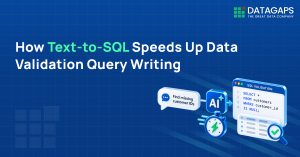
Text-to-SQL in the Datagaps DataOps Suite is a built-in AI assistant that converts natural language prompts into SQL for data testing, grounded in a RAG index of connected data source metadata and operating entirely within the customer’s environment, so nothing leaves the secure boundary.
Key Takeaways
- Manual schema discovery and join-path building slow testing cycles and create dependency on a few SMEs.
- From the home page, the AI Assistant generates, executes and displays results with a confidence score.
- Inside dataflows, the assistant writes SQL against connected data sources once the initial RAG setup is complete.
- It generated multi-CTE queries resolving join paths across four tables without being given schema relationships.
- Avoid SQL reserved keywords as table names and run a Full RAG for new data models
Datagaps DataOps Suite Text-to-SQL lets testers describe what they need in plain language and get SQL generated against their connected data model — from simple one-table lookups to multi-CTE queries with complex joins. It removes the manual work of understanding schema and building join paths, so testers can accomplish in minutes what previously took hours.
Writing SQL is one of the most time-consuming parts of data testing, especially when you’re onboarding onto an unfamiliar dataset, working through hundreds of tables, or validating complex transformation logic. Understanding the schema, building join paths, and writing precise queries by hand slows testing cycles and leaves teams depending on a small group of subject-matter experts. This article covers how the feature works, where it fits in a data testing workflow, and how to get good results from it.
Why does AI-assisted SQL generation matter for data testing?
AI-assisted SQL generation matters because it addresses several testing bottlenecks at once. These are the ones teams run into most often:
- Onboarding new testers onto an unfamiliar data model
- Understanding undocumented schemas with no SME available
- Writing validation queries faster during BI migration or source-target reconciliation
- Covering transformation testing across complex pipelines
- Reducing overall dependency on senior engineers for every query
Any one of these can be fixed with a targeted tool. Fixing all of them together takes platform-native AI that understands the data model, the environment, and the testing context, something a generic external tool can’t offer. Datagaps DataOps Suite is built with that in mind.
Where can you use the AI assistant in Datagaps DataOps Suite?
There are two core scenarios where the AI assistant within Datagaps DataOps Suite delivers immediate value: querying the platform’s own state from the home page and writing SQL against connected data sources while building dataflows.
Use case 1: Understanding the current state of the platform
This is for when you need to know what services have been created, how pipelines are running, and what work has already been done. The AI Assistant is available directly from the Datagaps DataOps Suite home page.

From the home page, the AI Assistant generates the SQL query, runs it automatically, and displays the results along with a confidence score for the response, so there’s no query to copy and run manually.

Use case 2: Writing SQL while building dataflows, pipelines and data models
The second use case is when users are actively building within the platform, creating dataflows, pipelines, or data models, and need to write SQL queries against their own connected data sources. This is where the AI assistant becomes a force multiplier for testing teams.
In Datagaps DataOps Suite, dataflows are used to set up data testing and observability logic. Users connect data sources, add components, write queries to define what data should be ingested or prepared for testing, and publish. The challenge has always been the query-writing step, particularly for teams who are new to the dataset or working across a large and complex schema.
The AI assistant within Datagaps DataOps Suite eliminates the hours typically spent understanding metadata and data models. Regardless of where the data originates within the platform, testers can now accomplish in minutes what previously took hours.
How does Datagaps Text-to-SQL perform on real data testing scenarios?
What setup is required before using Text-to-SQL?
Before you can use the Text-to-SQL assistant, you need to complete the initial RAG (Retrieval-Augmented Generation) setup. It lets the AI read the metadata of all connected data sources: table definitions, column types, relationships, and relevant schema context.
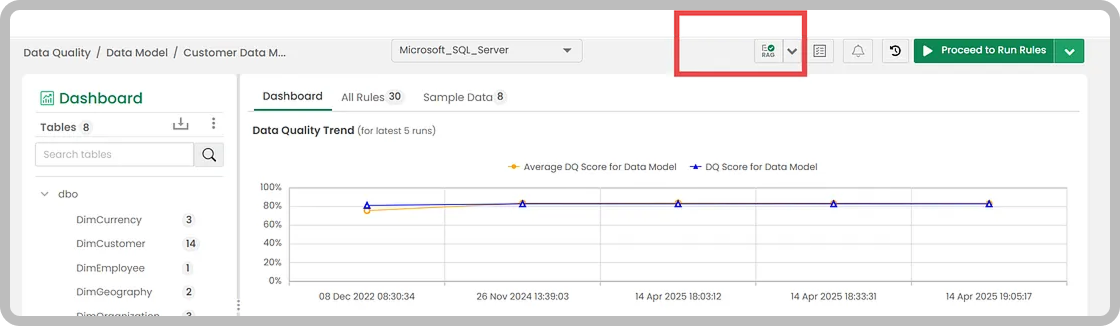
Once the RAG setup is complete, the AI assistant is ready to generate queries against the connected data model.
How does it handle simple queries involving 1-2 tables?
This is the baseline any Text-to-SQL tool must meet. Even with hundreds of tables in a schema, a clearly defined prompt for a straightforward request should return an accurate query right away. Against a sales dataset with multiple dimension and fact tables, the assistant handles these without trouble.

Can it generate CTEs and queries with multiple joins and complex relationships?
This is the more rigorous test, one that distinguishes a production-ready enterprise tool from a basic prototype. When posed with a more complex analytical question, the Datagaps DataOps Suite AI assistant generates multi-CTE queries, resolves join paths across four tables, identifies the relevant columns, and constructs the complete SELECT query, all without being explicitly provided schema relationships.

This result came from connecting a data source and going straight to the AI Assistant, with no additional configuration, no manual schema documentation, and no SME consultation.
How does this differ from using ChatGPT or Claude?
The distinction comes down to data privacy and accuracy. With a public AI tool, a team would need to share schema details, table structures, and dataset context across multiple back-and-forth exchanges, and even then, the output would be a generic template, not a query ready to run against the actual data. More importantly, enterprise data cannot and should not be shared with external tools.
Datagaps DataOps Suite operates entirely within the customer’s environment. Nothing leaves the secure boundary. The AI has access to the metadata it needs without any sensitive data being exposed externally.
Does the assistant keep conversational context across queries?
Yes. The AI assistant maintains context from previous interactions within a session. When table names change or a user wants to refine an earlier query, the assistant picks up from where the conversation left off.
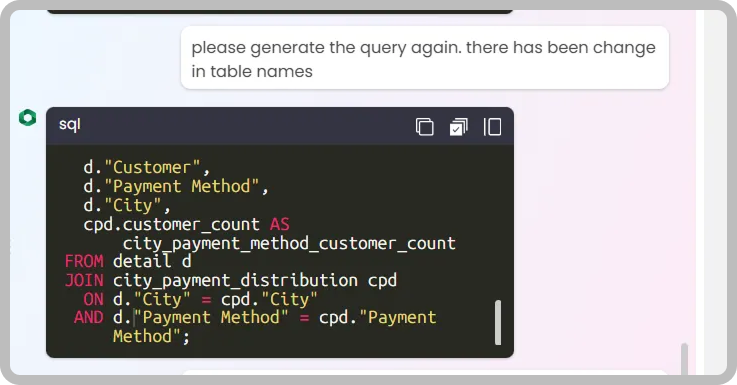
This conversational continuity is particularly useful during iterative development, where requirements evolve and queries need to be updated without starting from scratch.
Can it support analytics validation and BI report testing?
Beyond standard data ingestion testing, the AI assistant can also help with analytics validation. When you’re validating BI reports during a migration or comparing source-to-target analytical outputs, you can describe the insights you need and let the assistant find the relevant queries across the dataset.

Generated Complex Query
WITH detail AS (
  SELECT DISTINCT
    c."Customer Key",
    c."Customer",
    pm."Payment Method",
    city."City"
  FROM Fact.Transactions_Table AS t
  JOIN Dimension.Customer AS c
    ON t."Customer Key" = c."Customer Key"
  JOIN Dimension."Payment Method" AS pm
    ON t."Payment Method Key" = pm."Payment Method Key"
  JOIN Fact.Sale AS s
    ON t."WWI Invoice ID" = s."WWI Invoice ID"
  JOIN Dimension.City AS city
    ON s."City Key" = city."City Key"
),
city_totals AS (
  SELECT
    d."City",
    COUNT(DISTINCT d."Customer Key") AS city_total_customers
  FROM detail d
  GROUP BY d."City"
),
city_method AS (
  SELECT
    d."City",
    d."Payment Method",
    COUNT(DISTINCT d."Customer Key") AS customer_count
  FROM detail d
  GROUP BY
    d."City",
    d."Payment Method"
),
city_method_rank AS (
  SELECT
    cm."City",
    cm."Payment Method",
    cm.customer_count,
    ct.city_total_customers,
    1.0 * cm.customer_count / NULLIF(ct.city_total_customers, 0) AS method_share_in_city,
    RANK() OVER (PARTITION BY cm."City" ORDER BY cm.customer_count DESC) AS method_rank_in_city
  FROM city_method cm
  JOIN city_totals ct
    ON cm."City" = ct."City"
)
SELECT
  "City",
  "Payment Method",
  customer_count,
  city_total_customers,
  method_share_in_city,
  method_rank_in_city
FROM city_method_rank;
This one-shot capability, generating complex production-quality queries with accurate window functions, correct column references, and multi-level CTEs, demonstrates the enterprise readiness of the feature. Everything is handled automatically at the backend. Users define the intent; the platform handles the rest.
What best practices improve Text-to-SQL generation results?
Three guidelines help ensure consistently accurate output from the Text-to-SQL assistant.
1. Avoid naming tables using SQL reserved keywords
If a table is named using a word like Order, Transaction, or Group, the generated SQL may trigger a syntax error because the query engine interprets it as a keyword rather than a table name.

The fix is straightforward: rename the affected tables in the data model to non-keyword names, then update the RAG to reflect the changes.

After renaming and regenerating the RAG, the assistant produces queries with the corrected table names.

2. Perform a Full RAG for new data models
Simple metadata extraction handles basic scenarios well, but for a new data model or one with complex relationships, running a Full RAG gives the AI significantly richer context. The Full RAG process syncs metadata, retrieves sample data, generates column and table descriptions, and then builds the complete retrieval index.

This richer context also benefits other AI-driven features within the platform, such as AI-assisted rule generation.
3. Use the AI assistant to inspect table schema before writing custom logic
For teams who need to write or validate queries themselves, the AI assistant can generate schema inspection queries on demand, providing a quick view of all columns, data types, and nullability for any table in the model.

Human validation remains important, particularly before moving a query-based setup to production. The AI assistant accelerates the process of getting to a working query, but teams should always verify logic against known-good data before relying on it in a production pipeline.
Conclusion
Datagaps DataOps Suite Text-to-SQL delivers consistent results across a wide range of scenarios, from simple lookups to multi-CTE analytical queries involving complex join paths. For teams in the testing phase of their data layer, whether that’s source-to-target reconciliation, BI migration validation, or transformation testing, it removes one of the most persistent friction points in the process. Platform-native AI, RAG-powered schema understanding, and enterprise data privacy together make it suited to real-world data testing environments.
Frequently Asked Questions
How does Datagaps Text-to-SQL generate queries for data testing?
After an initial RAG (Retrieval-Augmented Generation) setup, the AI assistant understands the metadata of all connected data sources, including table definitions, column types and relationships. Users describe what they need in natural language, and the assistant generates SQL against the connected data model, from simple lookups to multi-CTE analytical queries.
Why not use ChatGPT or Claude to write data validation SQL?
With a public AI tool, teams must share schema details and dataset context across multiple exchanges, and the output is a generic template rather than a query ready to run against actual data. Enterprise data should not be shared externally. Datagaps DataOps Suite operates entirely within the customer’s environment, and nothing leaves the secure boundary.
What is the difference between simple RAG and Full RAG in Datagaps?
Simple metadata extraction handles basic scenarios well. For a new data model or one with complex relationships, Full RAG gives the AI richer context: it syncs metadata, retrieves sample data, generates column and table descriptions, and builds the complete retrieval index. This richer context also benefits features such as AI-assisted rule generation.
Why does generated SQL fail when a table is named Order or Group?
Tables named with SQL reserved keywords such as Order, Transaction or Group can trigger syntax errors because the query engine interprets the name as a keyword rather than a table. The fix is to rename the affected tables in the data model to non-keyword names, then update the RAG so the assistant uses the corrected names.
Do AI-generated SQL queries still need human validation?
Yes. Human validation remains important, particularly before moving a query-based setup to production. The AI assistant accelerates getting to a working query, but teams should verify logic against known-good data before relying on it in a production pipeline. The assistant can also generate schema inspection queries to support that review.

RajMohan Achanta
Associate Product Manager, Datagaps
Associate Product Manager at Datagaps. Shapes the product experience across ETL Validator, BI Validator, and Data Quality Monitor.

Avinash Keshri
Head, Product Marketing
Head of Product Marketing at Datagaps and IIM Bangalore alumnus. 13+ years of experience in commercializing AI and data platforms across global markets.